Three ways to get Hotel TV on the room's TV. Pick yours.
Google Play if the TV has it. Our Downloader TV if it doesn't. TV Box Tools from your phone or computer if you want it locked and done properly — that is the professional way, and it is free.
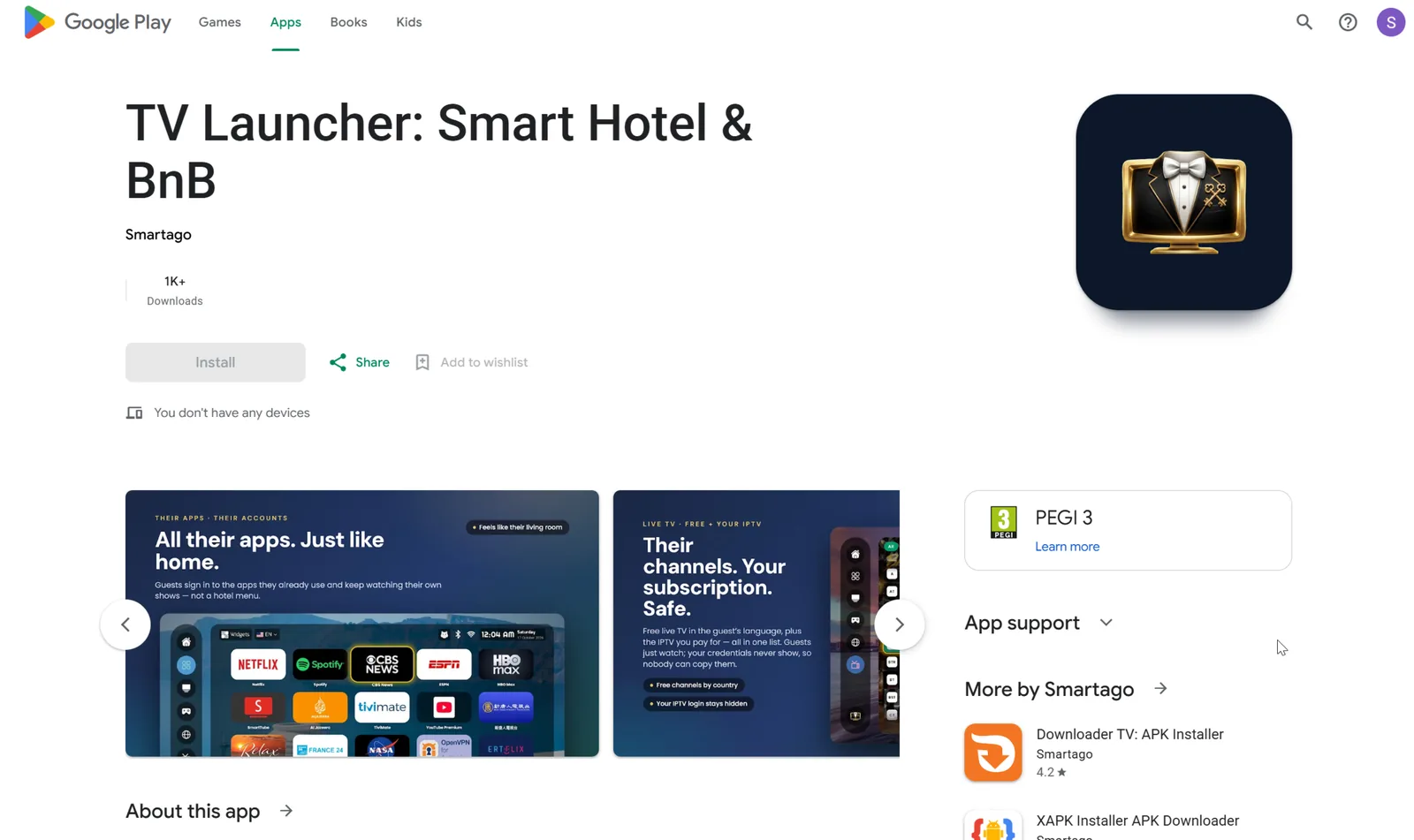
From Google Play, on the TV
For any certified Android TV or Google TV — Sony, Philips, TCL, Hisense with Google TV, Chromecast with Google TV, onn., Nokia, Xiaomi. Two minutes with the remote.
- 1Open Google Play on the TV and search Hotel TV — or say it into the remote's microphone.
- 2Install, open. Press HOME and choose Hotel TV as the home app when the TV asks.
- 3Scan the QR on the screen with your phone to link the room. Done.
With our Downloader TV and a short code
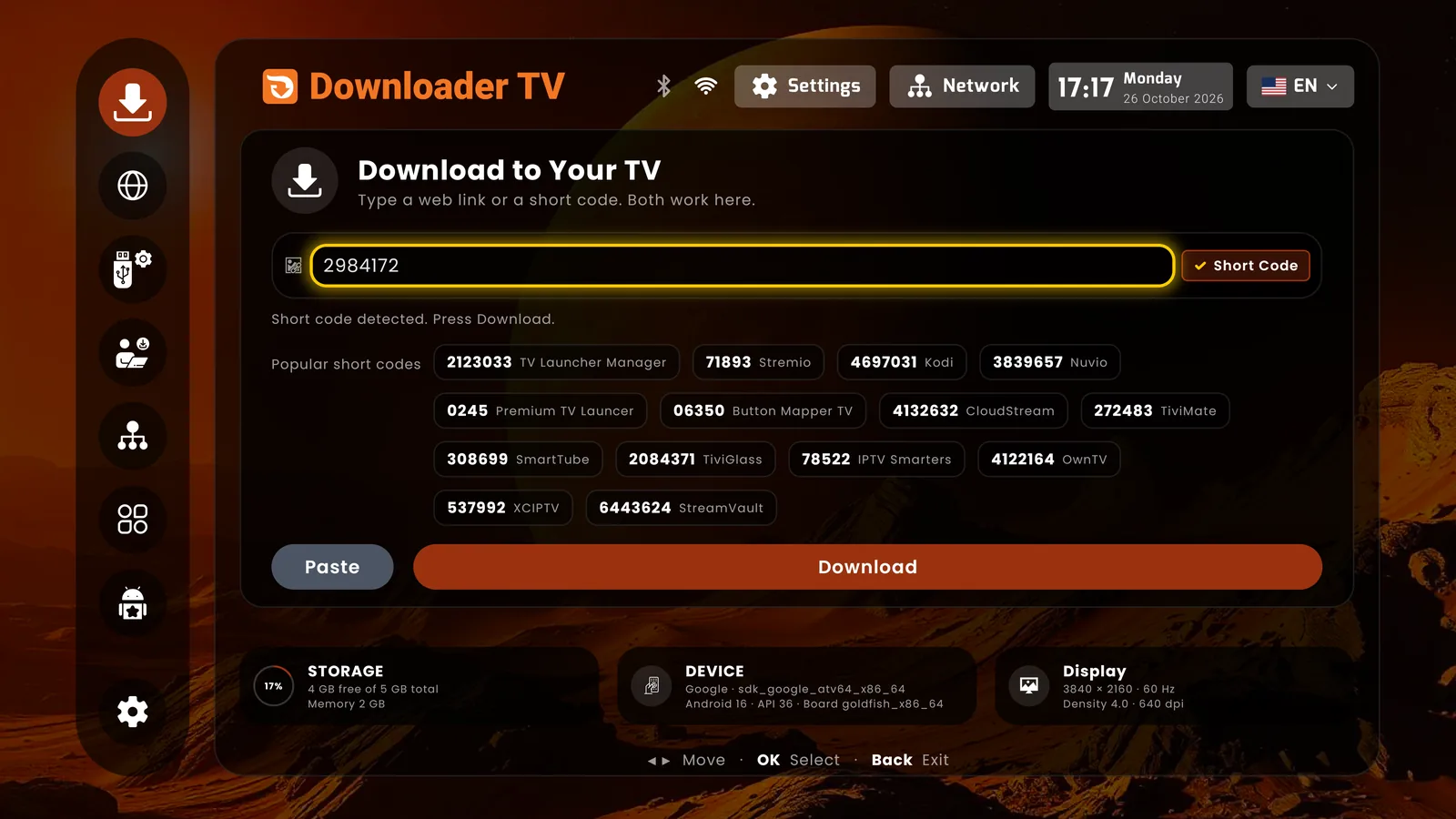
Downloader TV is our own installer app, built for exactly this: type a short code, the app downloads and installs. No typing URLs with the remote, no USB stick.
- 1Get Downloader TV on the TV: from Google Play if the TV has it, otherwise from the TV's own app store (most boxes ship one) — or from TV Box Tools below.
- 2Open it and type the code 2984172. Hotel TV downloads and asks to install; confirm.
- 3Open Hotel TV, press HOME, choose it as home. Scan the QR to link the room.
TV Box Tools: install, lock and link from your phone or computer
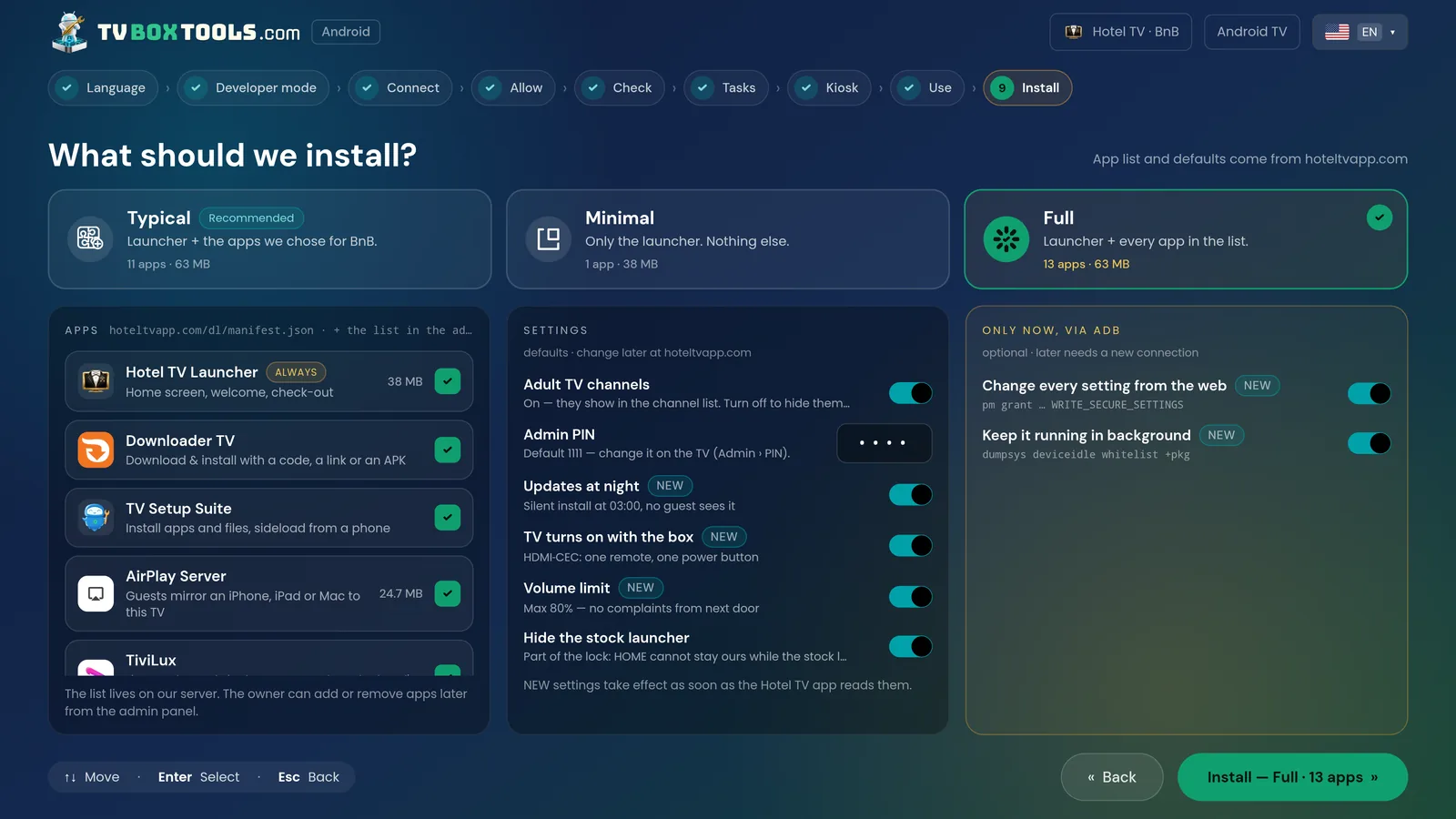
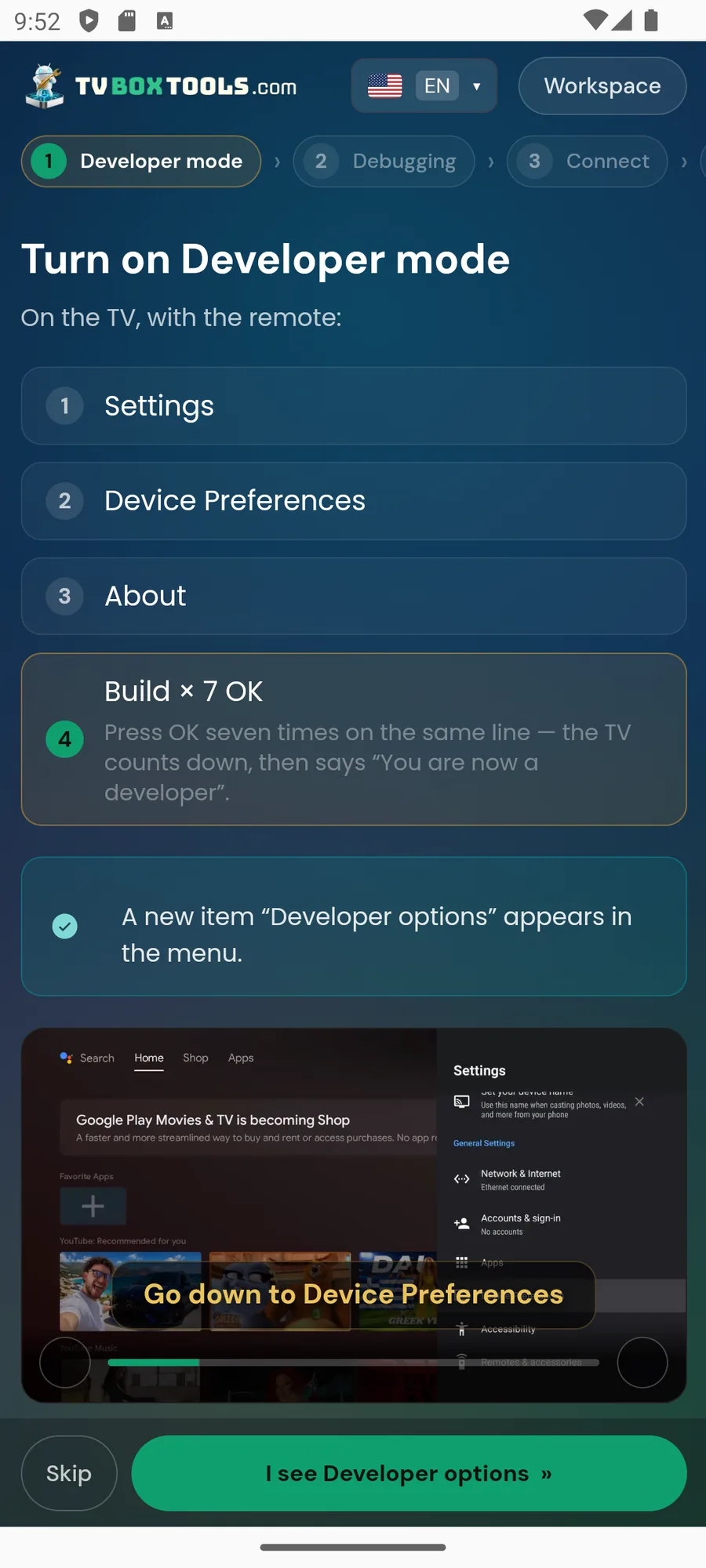
We built TV Box Tools specifically for hosts and hotels. It finds the box on your Wi-Fi, installs Hotel TV, makes it the owner of the device, switches on the 16 protections one by one, sets your Host PIN and links the room — in about 15 minutes, with nothing typed on the TV. It is the most professional thing you can do to a room TV, and it is the same tool our certified partners use.
Which one should I use?
| Google Play | Downloader TV | TV Box Tools | |
|---|---|---|---|
| Needs Play Store on the TV | Yes | No | No |
| Google account on the TV | Required | Not needed | Must be none |
| Guest-proof lock (16 protections) | No | No | Yes |
| Typing on the TV | Search + sign-in | 7 digits | None |
| Best for | One TV, trying it out | Boxes without Play | Every room you rent |
Order the box ready-locked from a certified partner.
Hotel TV installed, 16 protections on, your Host PIN in the parcel. Plug in HDMI and power, scan the QR, name the room. Two minutes.